Halloween Cupcake Digital Paper
Designing for Halloween doesn’t need to mean starting from scratch—or sacrificing quality for speed. Halloween Cupcake Digital Paper is a purpose-built resource that bridges the gap between seasonal creativity and professional execution. It’s not just decorative wallpaper; it’s a production-ready asset designed to integrate cleanly into real-world workflows—whether you’re prepping social media graphics, building printable party kits, designing product labels, or assembling digital planners.
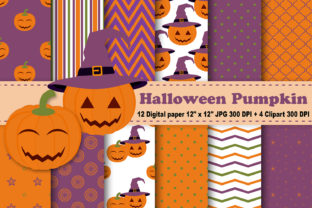
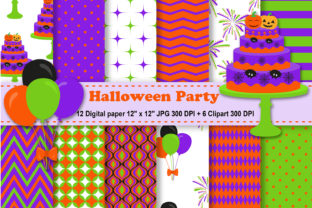
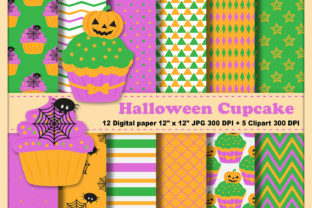
Each of the 12 JPEG digital papers included in this collection measures 12 x 12 inches at 300 DPI—ensuring crisp output whether printed on cardstock for cupcake wrappers or scaled down for web thumbnails. The patterns feature whimsical yet cohesive motifs: frosted cupcakes with candy sprinkles, jack-o’-lantern swirls, ghostly icing drizzles, and subtle bat-wing textures—all balanced for visual rhythm and versatility. These aren’t isolated visuals—they’re modular components meant to support consistency across touchpoints.
Where Halloween Cupcake Digital Paper Fits in Your Workflow
This resource works most effectively when treated as a foundational layer—not an afterthought. Think of it as the “paper stock” of your digital design process: something you select early, reference often, and rely on for visual continuity. For example, if you’re launching a limited-edition Halloween bakery line, using the same digital paper across packaging mockups, Instagram story templates, and email headers reinforces brand cohesion without requiring custom illustration each time.
Before a project begins, Halloween Cupcake Digital Paper helps narrow creative scope. Instead of sifting through hundreds of generic Halloween assets, you start with a curated, tonally aligned set—reducing decision fatigue and accelerating mood board development. During execution, it serves as a reliable background or texture overlay in Canva, Adobe Photoshop, or Affinity Designer. After delivery, the high-resolution files remain usable for future iterations—no re-downloading or version hunting required.
How It Integrates With Other Assets and Tools
The value multiplies when paired intentionally with complementary resources. This collection includes three separate ZIP files: one containing the 12 Halloween Cupcake Digital Papers, another with matching Halloween Candy Digital Paper Patterns, and a third with five transparent-background PNG clipart files (cupcakes, candy corn, lollipops, ghosts, and cauldrons), all sized up to 8 x 11 inches at 300 DPI.
That structure reflects how professionals actually work: backgrounds stay separate from foreground elements so they can be mixed, matched, and layered without clipping or transparency conflicts. You might use a candy-striped digital paper as the base for a printable treat bag label, then drop in the lollipop clipart as a focal icon—scaling it precisely because its transparent background preserves clean edges against any pattern.
Compatibility is built in. All files are standard JPEG and PNG formats—no proprietary software needed. They open instantly in free tools like Photopea or GIMP, and import seamlessly into commercial platforms like Cricut Design Space or Silhouette Studio. No conversion steps. No pixelation warnings. Just drag, scale, and export.
Practical Implementation Tips for Real Projects
Start with your output first. Before choosing which digital paper to use, define where it will live: Is it for print? Web? Social? Physical product? A 12 x 12 JPEG works perfectly for scrapbooking PDFs or Cricut mat layouts—but if you’re building a Pinterest pin, crop and resize thoughtfully rather than stretching. Maintain aspect ratio unless intentional distortion supports your message.
Layer intentionally. Don’t place text directly over busy areas of the pattern. Use the lighter-toned papers (like the vanilla-frosting background) for readability-heavy uses—invitations, ingredient cards, or instruction sheets. Reserve bolder patterns (candy corn stripes, black-and-orange confetti) for visual accents—banners, dividers, or section headers.
Use clipart to anchor meaning. The five included PNGs aren’t just decorations—they’re semantic anchors. A ghost icon signals “spooky fun,” not just “Halloween.” Place it beside a call-to-action like “Grab Your Treats” to reinforce tone without extra copy. Because each is 300 DPI and transparent, they composite cleanly over any digital paper—even textured ones—without halos or jagged edges.
Organize for reuse. Rename files descriptively before importing them into your design library: Halloween_Cupcake_Paper_FrostedVanilla_300dpi.jpg, Halloween_Clipart_Ghost_Transparent.png. This saves minutes per project—and avoids accidental duplication when sourcing assets across multiple client folders or seasonal campaigns.
Efficiency, Consistency, and Long-Term Usability
Time saved isn’t just about faster exports—it’s about fewer revisions. When clients see consistent textures and tones across deliverables, they perceive higher polish and intentionality. That perception translates directly into trust and repeat business. Halloween Cupcake Digital Paper supports that by offering a controlled palette: no clashing colors, no mismatched scales, no inconsistent line weights.
Quality control starts with resolution—and ends with application. At 300 DPI, these files hold up under close inspection: fine sprinkles remain distinct, frosting swirls retain soft gradients, and candy details don’t blur when zoomed. That matters whether you’re printing cupcake toppers on glossy sticker paper or embedding a background into a digital planner page viewed on retina displays.
Long-term use is supported by format stability. JPEGs won’t degrade with repeated saves the way lossy web formats might. PNGs retain alpha channels across generations of edits. And because all files are delivered in clearly labeled ZIP packages—no nested folders or hidden extras—you can archive the entire set once and retrieve it reliably years later, even as software updates or cloud storage policies change.
Workflow Examples Across Roles
- Educators: Use the cupcake-patterned papers as backgrounds for printable math worksheets (e.g., “Candy Counting Challenge”)—then layer the candy corn clipart as answer markers or reward icons.
- Small business owners: Apply the candy-stripe digital paper to jar label mockups for homemade caramel apples, then add the cauldron clipart as a “handcrafted” badge.
- Bloggers and content creators: Build cohesive Pinterest pin templates using one digital paper as the base, the ghost clipart as a corner accent, and consistent typography—then duplicate the template across multiple posts.
- Freelance designers: Bundle these assets into client handoff folders as “brand-aligned texture options”—giving stakeholders visual flexibility without opening the original design file.
What makes Halloween Cupcake Digital Paper durable across roles isn’t novelty—it’s utility. It doesn’t ask you to adapt your process to fit the asset. Instead, it fits into yours: whether you batch-create 50 social posts in an afternoon or refine a single product label over several rounds of feedback.
No setup is required. No licensing caveats apply to personal or commercial use. No subscription or login stands between you and immediate implementation. You download, unzip, and begin—knowing every file meets production standards and aligns with the practical demands of deadline-driven work.
That reliability compounds over time. The more you use these papers—not as one-offs but as repeatable components—the more intuitive your seasonal design decisions become. You’ll recognize which pattern pairs best with foil-stamped printing, which clipart scales cleanly for embroidery digitizing, and how to repurpose a cupcake background as a subtle watermark behind newsletter text. That’s not magic. It’s workflow maturity—built one high-resolution, thoughtfully organized digital paper at a time.