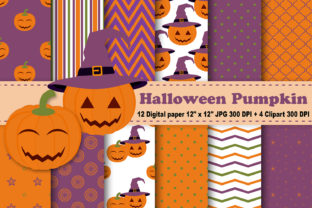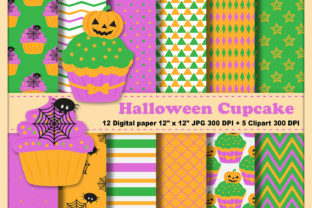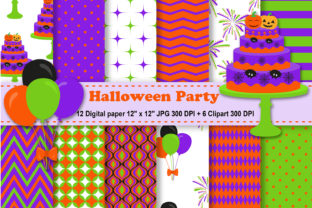
Halloween Party Digital Paper
Imagine opening a digital toolkit filled with richly textured, ready-to-print 12×12 sheets—pumpkin-orange damask, spooky black chalkboard, vintage candy corn stripes—all at 300 DPI. That’s what Halloween Party Digital Paper delivers: high-resolution, print-ready design assets you can use immediately for invitations, scrapbooking, classroom decorations, or even small-batch product packaging.
What Exactly Is Halloween Party Digital Paper?
Halloween Party Digital Paper isn’t software or a subscription—it’s a curated set of downloadable JPEG files designed for real-world creative use. Each sheet is sized to match standard scrapbook and craft paper dimensions (12 inches by 12 inches), making them compatible with most home printers, cutting machines (like Cricut or Silhouette), and design tools (Canva, Photoshop, Affinity Designer). The included clipart—six PNG files with transparent backgrounds—adds flexibility: layer a ghost over a background, scale a jack-o’-lantern onto a party banner, or drop a bat into a lesson handout without white boxes or jagged edges.
Why It Matters—Depending on Who You Are
Your relationship with Halloween Party Digital Paper shifts based on your goals, tools, and time. A teacher preparing a themed unit doesn’t need commercial licensing—but does need clarity, ease of printing, and kid-friendly visuals. A freelance designer building a client’s event brand needs seamless integration into existing workflows and reliable color fidelity. A small business owner launching seasonal merchandise cares about scalability, file compatibility, and reuse potential across platforms—from Etsy listings to Instagram Stories.
For Beginners: Simplicity Meets Immediate Impact
If you’ve never used digital papers before, this set lowers the learning curve. No need to wrestle with layers or transparency settings—just open a JPEG in Canva or PowerPoint, drag it in as a background, and start adding text or photos. The 300 DPI resolution ensures crisp prints even on basic inkjet printers. Try printing one sheet on cardstock, cutting it into 4×6 cards, and writing “Trick or Treat!” on each—done in under five minutes. That speed matters when you’re juggling school events, family parties, or last-minute PTA requests.
For Educators: Thematic Consistency Without Extra Prep
Classroom teachers often spend hours designing seasonal materials that align with curriculum standards—and still look joyful and age-appropriate. With Halloween Party Digital Paper, you get visual cohesion across handouts, bulletin board backdrops, and digital slides. Use the chalkboard-style paper as a slide background for vocabulary quizzes; overlay clipart bats to label science diagrams about nocturnal animals; print the striped pattern on labels for student supply bins. Because all files are high-res and consistently sized, resizing won’t distort textures or blur details—no more pixelated pumpkins on your smartboard.
For Small Business Owners & Creators
When you sell printable party kits, custom invitations, or themed planners, consistency and quality directly affect perceived value. These papers offer professional-grade texture and contrast—think subtle glitter overlays or matte velvet finishes—that elevate DIY products beyond generic clipart sites. The transparent PNGs let you composite elements cleanly: place a transparent “Boo!” banner over a dark paper background without re-editing layers. And because the files come in three zip folders (organized by theme or tone), you can quickly test variations—e.g., comparing warm-toned papers for a “harvest party” line versus cooler purples and blacks for a “spooky soirée” collection.
For Hobbyists & Crafters
You know the joy of matching paper textures to your project’s mood—glossy for candy wrappers, matte for vintage tags, distressed for haunted house signs. This set gives you that control digitally, without buying physical paper packs you might only use once. Print on sticker paper for custom labels, iron-on transfer paper for T-shirts, or kraft cardstock for dimensional garlands. The 8×11 maximum size of the clipart means they scale cleanly whether you’re making a 2-inch cupcake topper or a 16-inch wall decal—no stretching or loss of detail.
What to Look For—Beyond the Specs
Resolution (300 DPI) and size (12×12) matter—but so does how the files behave in practice. Do the JPEGs open instantly in your preferred app? Do the PNGs retain clean edges when resized in free tools like Photopea or Google Slides? Are colors calibrated for screen *and* print—so that deep orange on your monitor translates to rich, saturated ink on paper? This set was built with those questions in mind: no hidden watermarks, no compressed previews masquerading as full files, no mismatched color profiles.
Real Projects, Real Time Savings
- A blogger uses the striped paper as a consistent background for October Instagram carousel posts—swapping clipart bats and cauldrons to keep visuals fresh without redesigning layouts each week.
- A homeschool parent prints two papers on sticker sheets, cuts out clipart ghosts and candy corn, and turns them into tactile spelling game pieces—no laminator required.
- A wedding planner adapts the elegant black-and-gold damask paper for a “Halloween Eve” rehearsal dinner menu—adding client names in script font and printing on ivory linen cardstock.
- A church volunteer builds a children’s Bible lesson packet using the chalkboard paper for discussion prompts and clipart pumpkins as section dividers—printed double-sided and stapled into booklets.
Does This Fit Your Next Project?
Ask yourself: Do you need printable, cohesive visuals—not just isolated icons? Are you working across formats (digital displays, printed handouts, physical crafts)? Do you value reliability over novelty—knowing a file will open, scale, and print as expected, every time? If yes, Halloween Party Digital Paper offers grounded utility. It’s not flashy AI-generated art. It’s thoughtful, tested, production-ready material—designed to disappear into your process so your ideas stay front and center.
Getting Started Is Straightforward
Once downloaded, unzip the three folders: one holds the 12 JPEG papers grouped by palette, another contains the same papers in alternate tones, and the third holds the six transparent PNG clipart files. Open any JPEG in your editor of choice—or drag directly into Canva’s background upload. To use clipart, drag a PNG onto your canvas, then adjust opacity or blend mode if layering over busy patterns. All files retain their native resolution regardless of zoom level or export format.
No subscriptions. No logins. No waiting for renders. Just files that work—today, for your students, your shop, your family, or your next creative spark.